-
E-mail
15801852895@163.com
-
Phone
15801852895
-
Address
612, No. 6, Lane 1536, Xinfu Middle Road, Qingpu District, Shanghai
Product Categories
Shanghai Yongdi Industrial Automation Co., Ltd
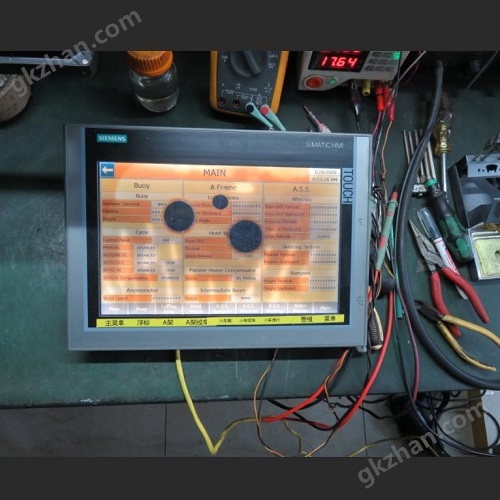


Siemens Touchscreen TP1200 Display Black Dot Original Screen Repair
NegotiableUpdate on 01/07
- Model
- Nature of the Manufacturer
- Producers
- Product Category
- Place of Origin
Overview
Siemens touch screen TP1200 displays black dots for original screen repair, Siemens touch screen internal screen has black dot display, Siemens TP1200 flower screen fault, TP1200 card logo does not move, Siemens TP900 cannot enter the system after restarting back and forth, Siemens TP700 power on display screen does not move, MP277 flower screen repair, Siemens MP377 white screen fault, Siemens PCU50 crashes for repair, needs to be shut down and restarted when encountering errors, startup interface does not move, touch screen communication is broken, touch offset,
Product Details
Siemens Touchscreen TP1200 Display Black Dot Original Screen RepairThere is a black dot display on the internal screen of the Siemens touch screen, a malfunction of the Siemens TP1200 splash screen, the TP1200 card logo does not move, the Siemens TP900 cannot enter the system after restarting back and forth, the Siemens TP700 power on display screen does not move, the MP277 splash screen is repaired, the Siemens MP377 white screen is faulty, the Siemens PCU50 crashes for maintenance, and when encountering errors, it needs to be shut down and restarted. The startup interface does not move, the touch screen communication is broken, and the touch is offset,
1、 Hardware malfunction
Physical damage to LCD screen
The collision or compression of the screen may cause damage to the internal LCD material, resulting in black spots or black spots. The LCD screen needs to be replaced to solve the problem
Circuit issues
Internal circuit short circuit, display chip failure, or power components (such as chips, capacitors, diodes) burning out may cause display abnormalities, and damaged parts need to be inspected and replaced
Screen aging
Long term high temperature or humid environments can accelerate screen aging, leading to the appearance of black spots. It is necessary to improve the usage environment or replace the screen
2、 Software or configuration issues
Driver conflict
Outdated or incompatible drivers may cause display abnormalities. It is recommended to update or reinstall the drivers
Calibration error
The failure of touch screen calibration may indirectly lead to black dot problems, and it needs to be recalibrated
3、 External factors
Screen pollution
Dust or stains may form visual black spots, and the screen surface needs to be cleaned
Connection issues
Loose or damaged cables may affect the display and require inspection and reconnection
4、 Repair suggestions
Preliminary investigation: Restart the device, clean the screen, and check the connection cables
Professional testing: If the black spot persists, it is recommended to contact Siemens or an authorized repair center and use professional equipment to test hardware such as backlight boards and motherboards
If the problem involves complex hardware faults (such as BGA chip virtual soldering), it needs to be operated by technical personnel
OP7、OP17、OP27、OP177B、OP270、OP170B、OP277、OP77、OP37、TP27、TP7、TP178、TP177B、TP177、TP170 、TP270、TP277、TP37、MP277、MP370、MP270、MP270B、MP377,OP27、OP177B、OP270、OP170B、OP277、OP37、TP27、TP178、TP177、TP170 、TP270、TP277、TP37、MP277、MP370、MP270、MP377、TP700,KP700,TP900,KP900,TP1200,KP1200,TP1500,KP1500,TP1900,KP1900,TP2200,KP2200, Staying at the SIMATIC HMI interface, the motherboard is broken and causing problems. The Siemens TP1200 often restarts on its own, the TP700 black screen is repaired, the Siemens TP1200 touch screen crashes after being powered on for a period of time, the Siemens exquisite touch screen card screen does not enter the system, the Siemens KP900 system crashes, the touch screen KP1200 displays the startup screen, the TP900 Comfort displays the Siemens screen image, the display screen TP1200 image is not fixed for repair, the black screen KP1200 is repaired, the TP1200 Siemens exquisite screen is repaired, the KP700 does not enter the system, the TP1200 firmware cannot be updated, the TP1500 exquisite panel touch fails, the power on black screen, flower screen, blue screen, white screen, the startup displays a white bar or the manufacturer's SIEMENS logo, and the Siemens cannot work normally due to continuous restarts and crashes. TP1200 cannot update the OS.Siemens Touchscreen TP1200 Display Black Dot Original Screen Repair
Similar Product Recommend